🔧 T-Deck Map Assistant
← Handbook home · 🇩🇪 Deutsche Version
- Prepare an SD card – guided 6-step wizard (Tools tab) for loading offline maps onto a Meshtastic T-Deck SD card
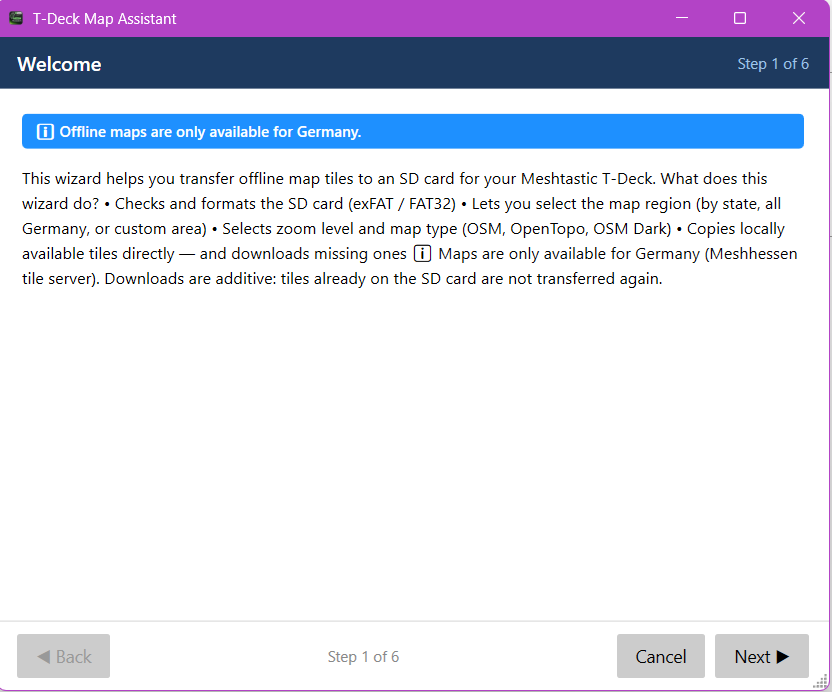
- Step 1 – Welcome: explains the workflow; coverage = Meshhessen tile server (DACH region; the quick picker lists German federal states, the freestyle rectangle also covers Austria/Switzerland)
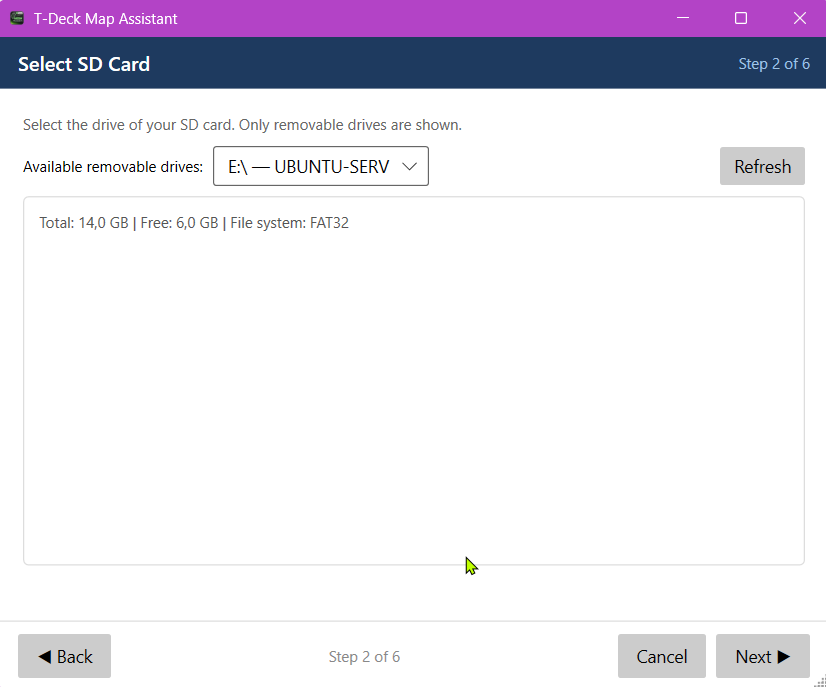
- Step 2 – Drive: shows all removable drives with size, free space and file system
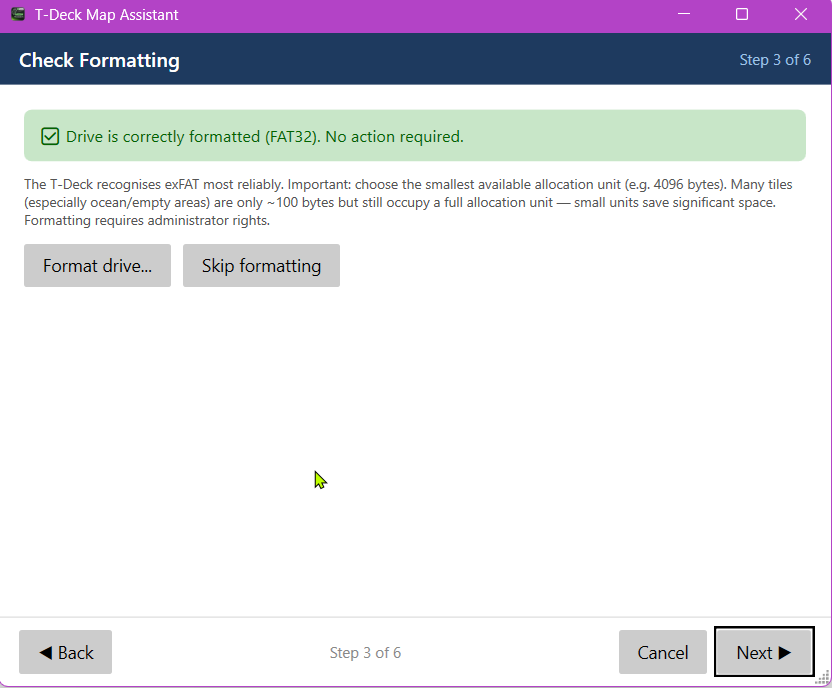
- Step 3 – Formatting: recommends exFAT with 4096-byte allocation units (T-Deck-optimal; small tiles ≈ 100 bytes → small AU saves a lot of space — see the storage notes in "Map & offline use"); formatting via UAC-elevated PowerShell with two confirmations
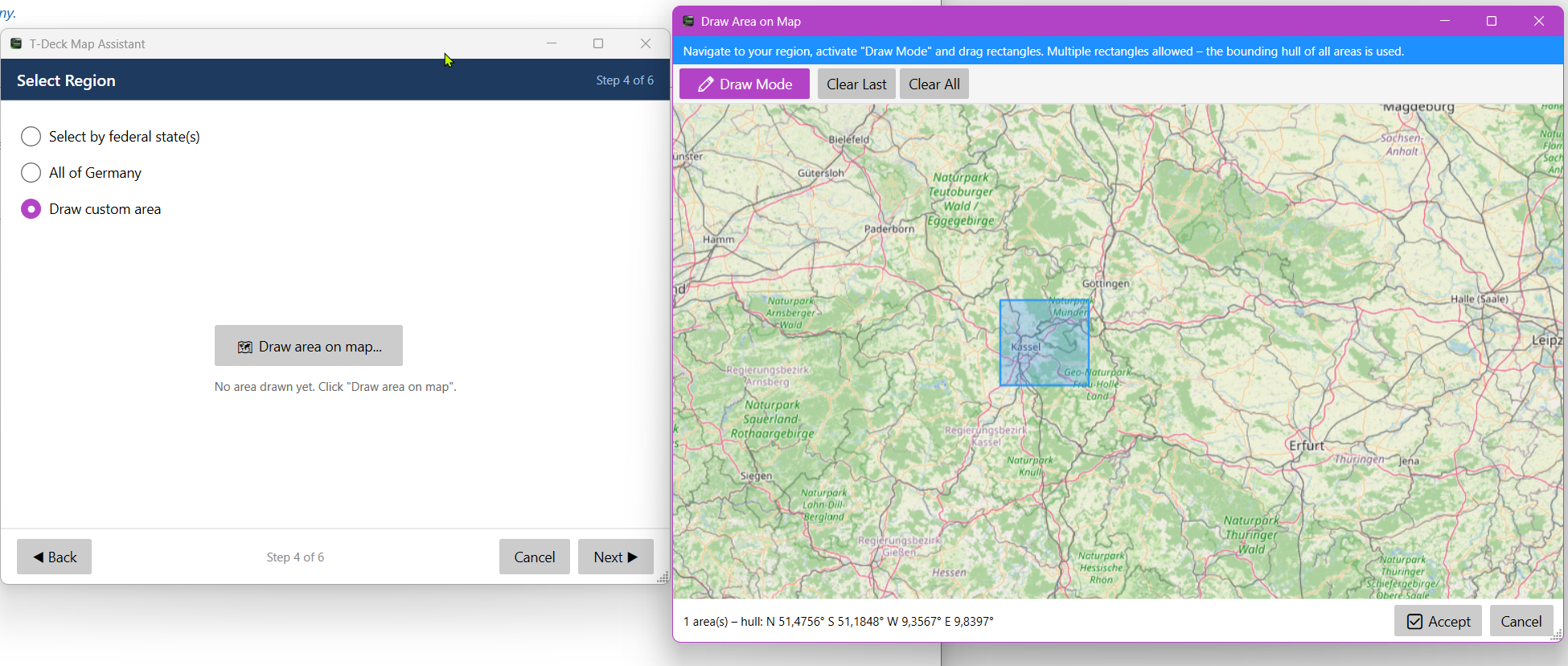
- Step 4 – Area: by federal state (checkboxes), all of Germany, or freestyle (one or more rectangles on an interactive map — the enclosing hull is used)
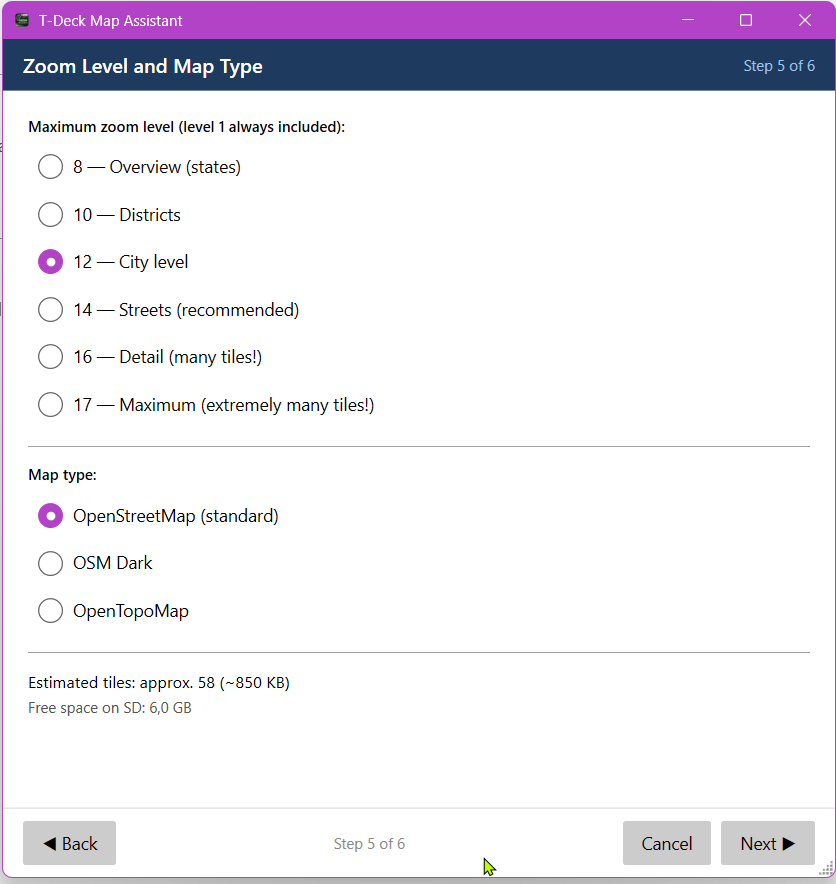
- Step 5 – Zoom & style: max zoom in fixed steps 8/10/12/14/16/17 (the transfer always starts at zoom 1), warnings from level 14 and 16; OSM / OSM Dark / OpenTopoMap. The wizard estimates tile count and data volume (~15 KB/tile) and warns when the free SD space won't suffice
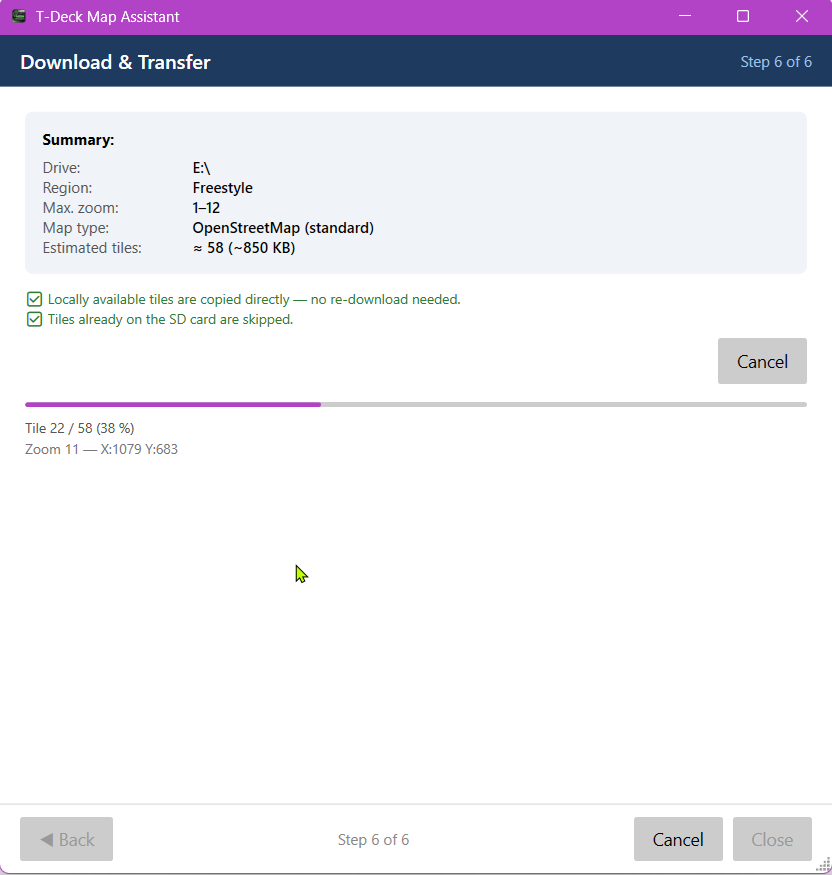
- Step 6 – Transfer: additive – SD tile exists → skip; available locally → copy; otherwise → fetch from the tile server + cache locally
- SD directory structure:
{drive}:\maps\OSM\{z}\{x}\{y}.png(T-Deck compatible) - ZIP export – export local tiles as a ZIP (filterable by map style)
- Fully multilingual (German/English)
The wizard in pictures
Steps 1–3: welcome, drive selection and formatting recommendation (exFAT, 4096 bytes):
Step 4: choose the map area — federal state, all of Germany or a freestyle rectangle on the map:
Steps 5 + 6: zoom/map style and the transfer running onto the SD card: