🔧 Node Management & Remote Admin
← Handbook home · 🇩🇪 Deutsche Version
Node overview
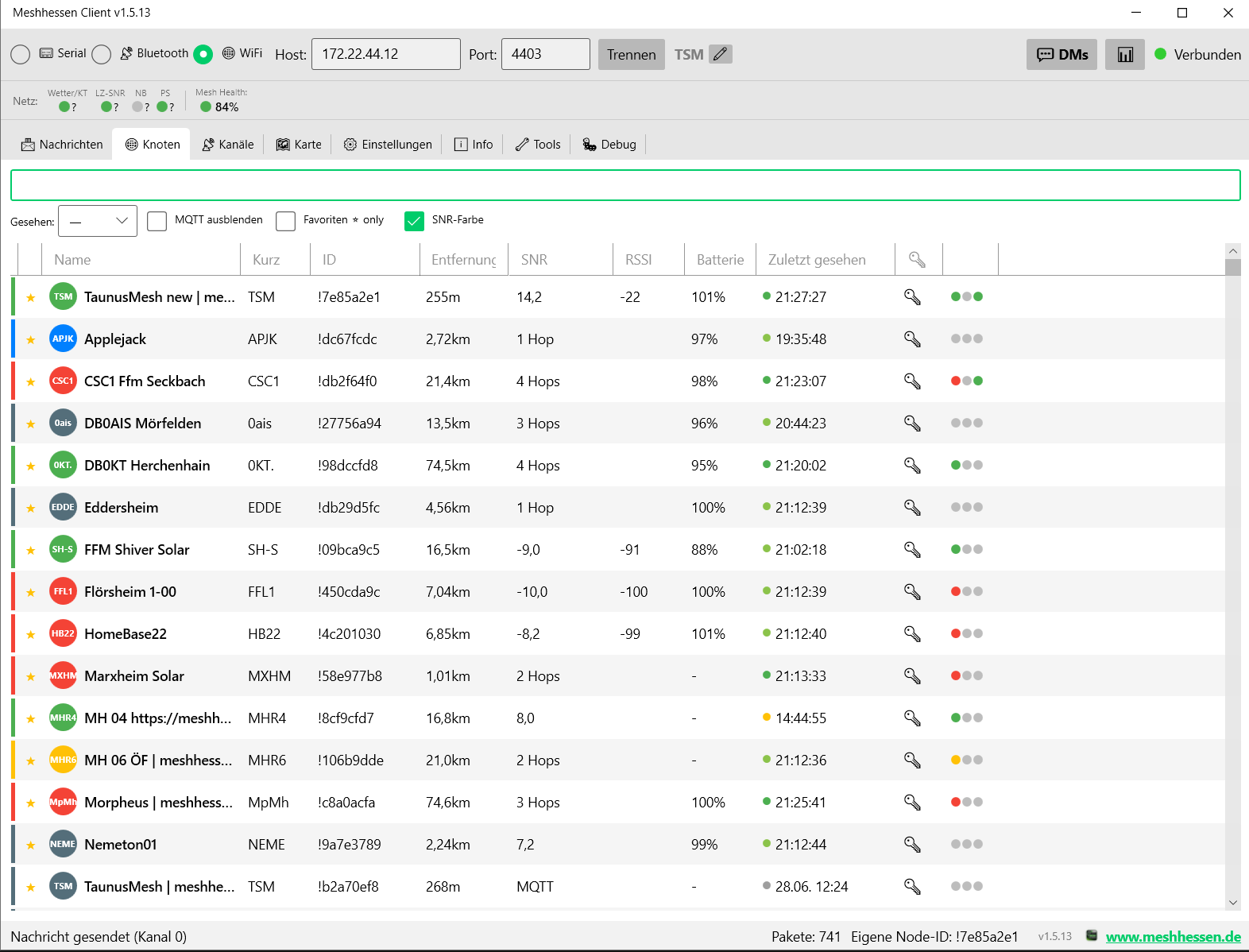
- All nodes in the mesh with SNR, battery, distance, hop count
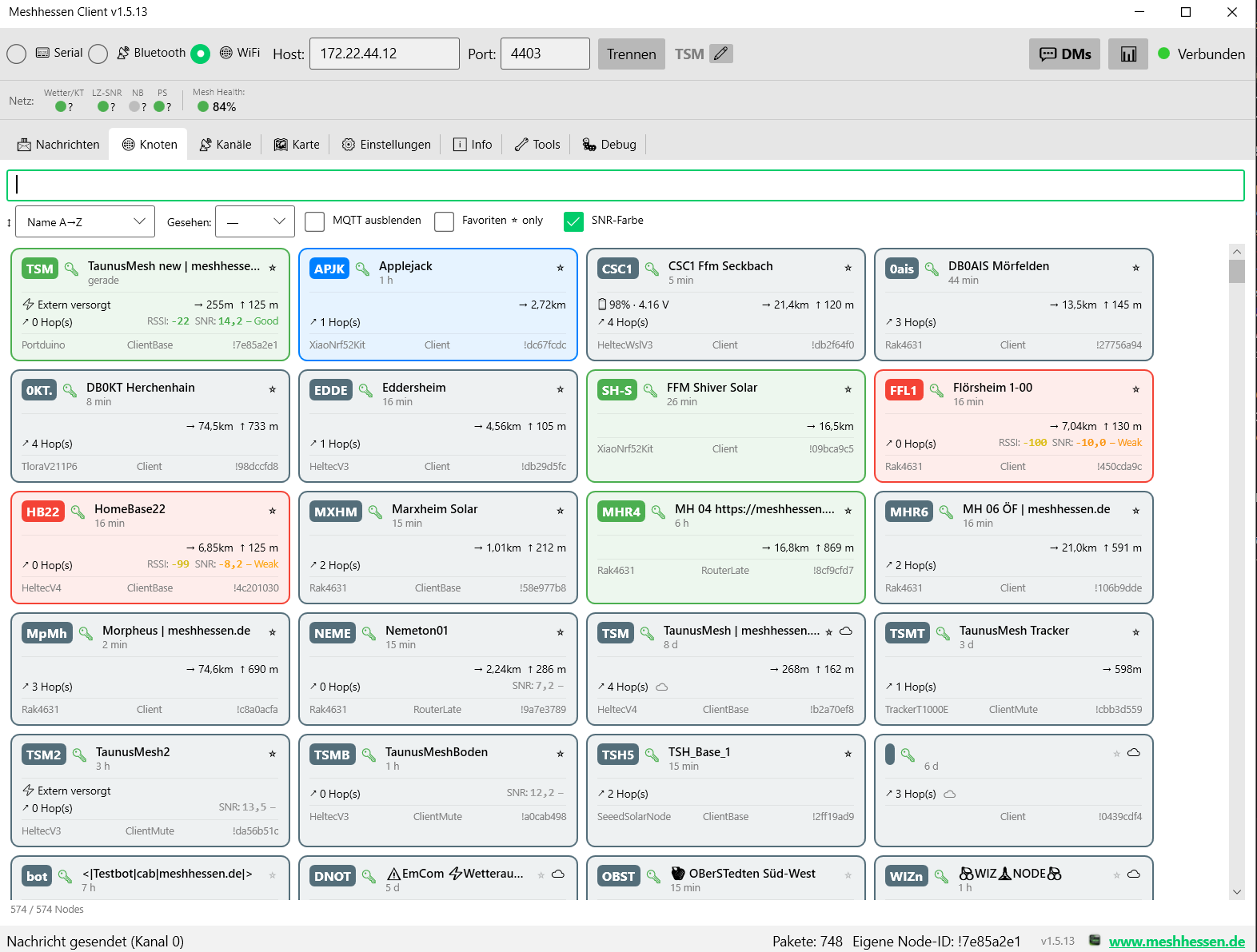
- Tile view (Fancy View) – optionally enabled in Settings → Appearance: replaces the table with a responsive tile surface (column count grows/shrinks with the window width)
- Per tile: ShortName badge in node color, 🔑/🔓 PKI status, full name, "X min ago", ⭐ favorite star, 📡 infrastructure and ☁ MQTT icons
- Power (externally powered or battery + voltage), distance + altitude, hops, RSSI/SNR with color gradient, environment telemetry (🌡/💧/🌬), hardware model · device role · node ID
- Own node always on top, virtualized scrolling even with 1000+ nodes
- SNR/RSSI only for direct reception – signal values are shown only when we hear the node directly (0 hops, no MQTT); for relayed nodes the column shows the hop count instead
- Advanced filters – by "last seen" (5 min to 60 days), hide MQTT nodes, favorites only, SNR coloring on/off; sort dropdown in tile mode
- Request information – right-click submenu (list, tile, map) requests data from a node like the Android app: user info, position, device/environment/air-quality/power/host metrics, signal quality/mesh stats, PAX counter
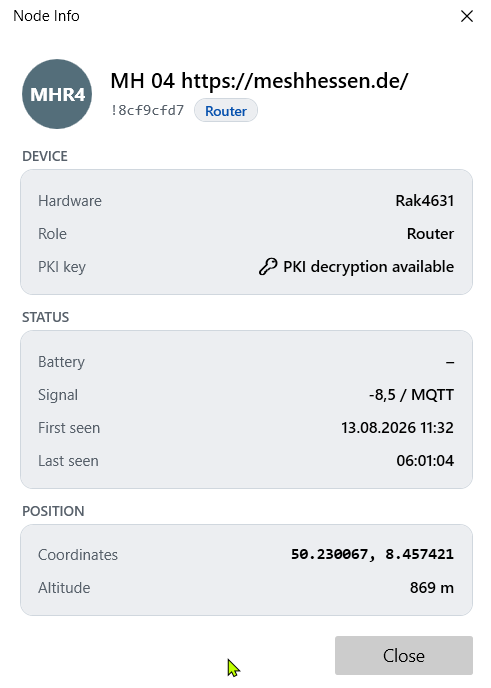
- Node info window – right-click a node (list, tile, map or message) → "ℹ️ Node Info": hardware model, role, PKI status, battery, signal, first/last seen and position. Your own device's firmware version lives under Settings → Device info; a remote node's is shown in the remote admin window:
 * PKI key indicator – 🔑 column shows whether a node's public key is known
* Node colors – color-code nodes individually (map + lists)
* Node notes – free-text annotations per node
* Pin nodes – pin nodes to the top of the list (independent of sorting)
* Favorites – mark nodes as favorites (★ icon, right-click menu); synced with the device (
* PKI key indicator – 🔑 column shows whether a node's public key is known
* Node colors – color-code nodes individually (map + lists)
* Node notes – free-text annotations per node
* Pin nodes – pin nodes to the top of the list (independent of sorting)
* Favorites – mark nodes as favorites (★ icon, right-click menu); synced with the device (set_favorite_node / remove_favorite_node); favorites shown at the top of the list
Node overview as a table – with avatar, signal LEDs, filters and sorting:
Node overview as tile view (Fancy View) – with telemetry, power and signal quality per tile:
Remote administration
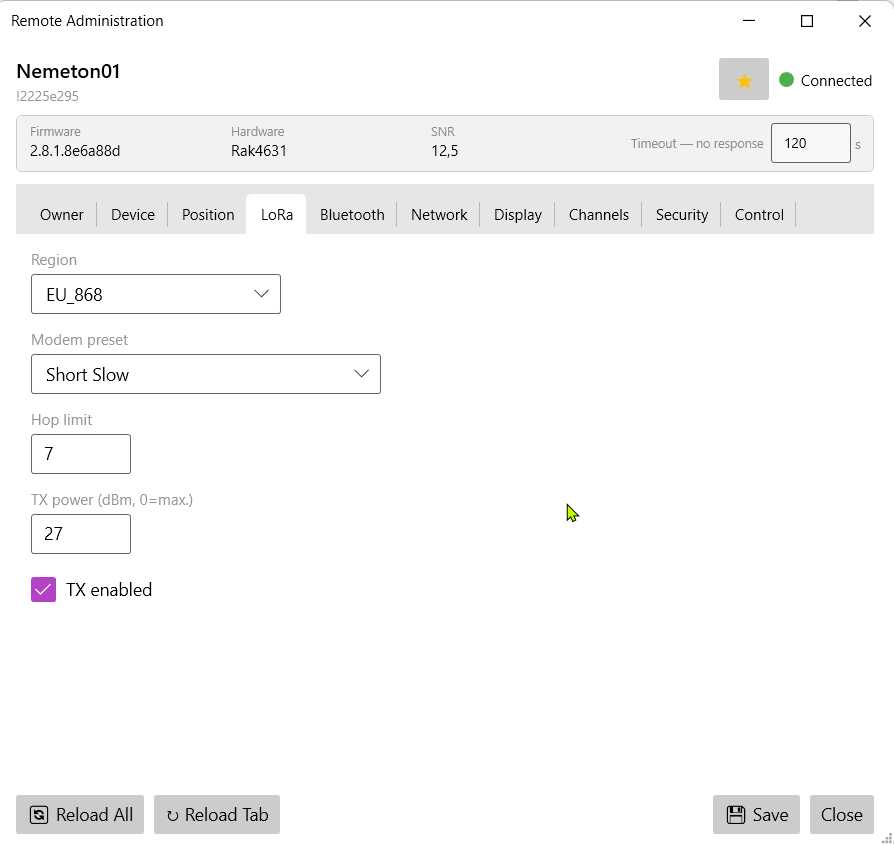
Full remote admin UI for favorite nodes — also works across relay and MQTT paths:
How to administer a remote node (step by step)
- Prerequisites: your public key must be registered as an admin key on the target node (its security tab, admin keys 1–3) — or you share an admin channel. The target also needs to know your node's public key (PKI).
- Mark the target node as a favorite (★ in the right-click menu) — the remote-admin selection dialog only lists favorites
- Open "🛠️ Remote Administration" (right-click in the tile view, or Settings → Remote administration) and pick the favorite in the dialog — the client negotiates a session key and loads the configuration (either everything at once or per tab on demand). After the first valid access the target automatically marks your admin node as a favorite, so your key cannot be evicted from its node database
- Change settings → "Save" writes them back over the air; the target reboots if required
- Typical failures: timeout without a response → admin key missing on the target or the node is currently unreachable (try a traceroute); PKI error → the target's public key is missing locally (receive the node directly once or pull it via "📥 Request information → User info"). Rejections are reported with a concrete reason instead of failing silently.
- Across multiple hops every answer takes a few seconds — the timeout is adjustable (default 30 s; 5–300 s live in the window); individual tabs can be retried via "↻ Reload Tab"
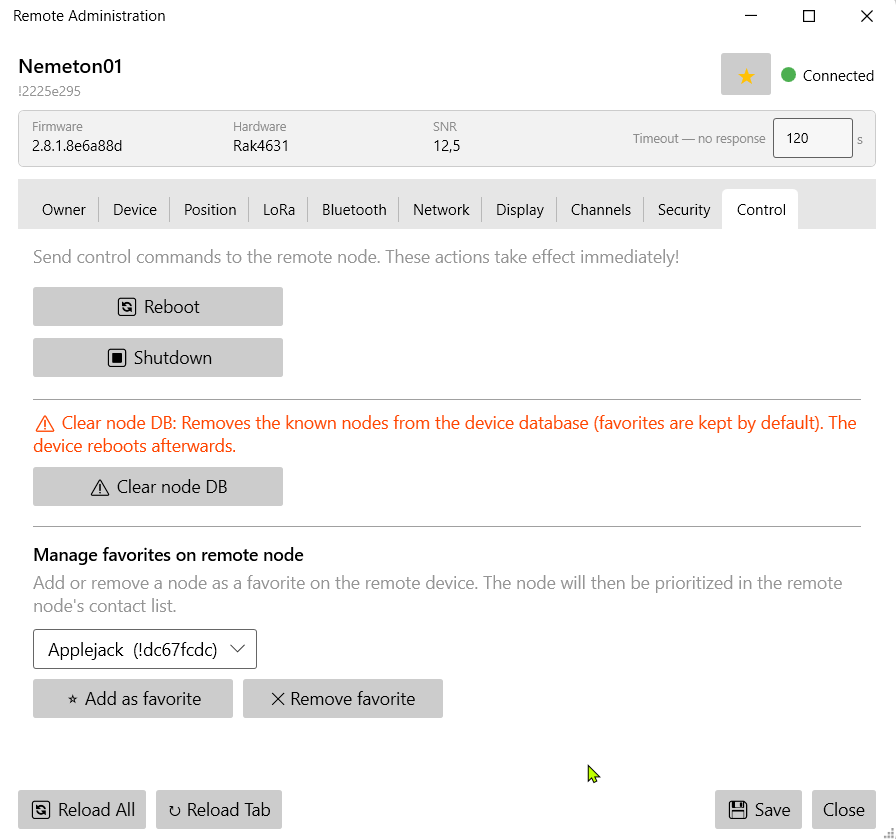
Favorites on the remote device can be set/removed remotely, too:
Feature overview:
- All configuration tabs: Owner, Device, Position, LoRa, Bluetooth, Network, Display, Channels, Security, Control
- Security tab: public key (read-only, Base64), admin keys 1–3 (Base64), flags (admin channel, managed mode, serial, debug log)
- Manage favorites remotely: set or remove favorites on the remote device
- Session-key handshake, configurable timeout, per-channel retry + reload
- Lazy loading: choose on open whether everything loads immediately or page by page; "↻ Reload Tab" button per tab
Node configuration (local)
Full device configuration directly from the client, all modules in one window:
- Device & LoRa: region, modem preset, TX power, hop limit, device role, rebroadcast mode
- Position: GPS mode, smart broadcast, fixed position with coordinate input; "Pick from Map" opens a dedicated map picker window; "Own Map Pin" copies the position set via right-click
- Network: Wi-Fi SSID/PSK, DHCP/static IP, Ethernet, NTP server, syslog
- Display: screen timeout, carousel, compass, 12h clock, metric/imperial, display mode, OLED type
- MQTT: server, credentials, TLS, JSON mode, root topic, proxy mode, map reporting with precision level (bits 10–19), MQTT proxy client
- Telemetry: device, environment, air quality and power metric intervals
- Bluetooth: enable, pairing mode, fixed PIN; change BT PIN directly from the client
- Security: show public key (read-only), show/change private key, admin keys, managed mode
- Channels: all 8 channels – role, name, uplink, downlink, position precision (bits 10–19, ~23 km to ~45 m)
- Additional modules: neighbor info, store & forward, external notification, canned messages, range test, serial